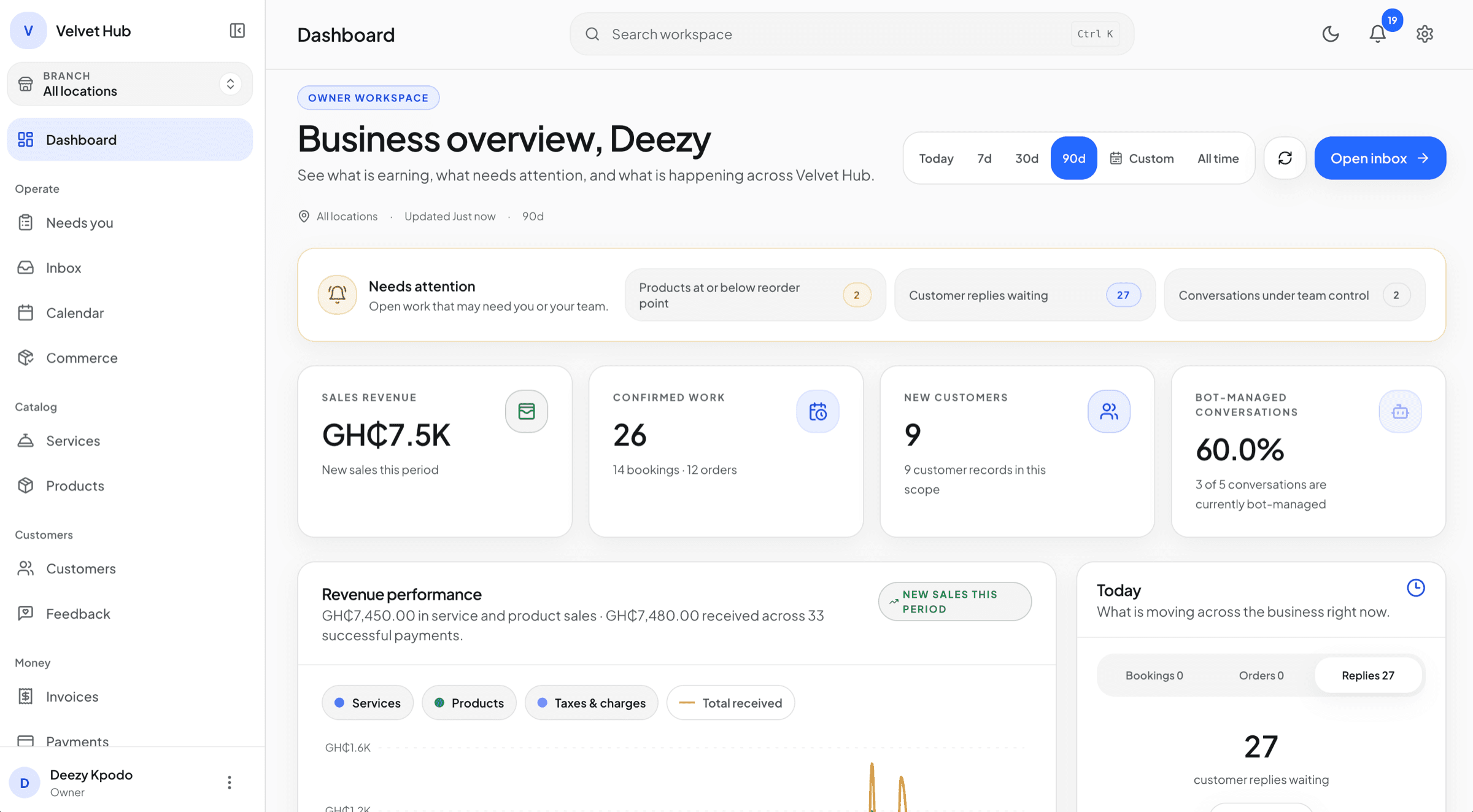

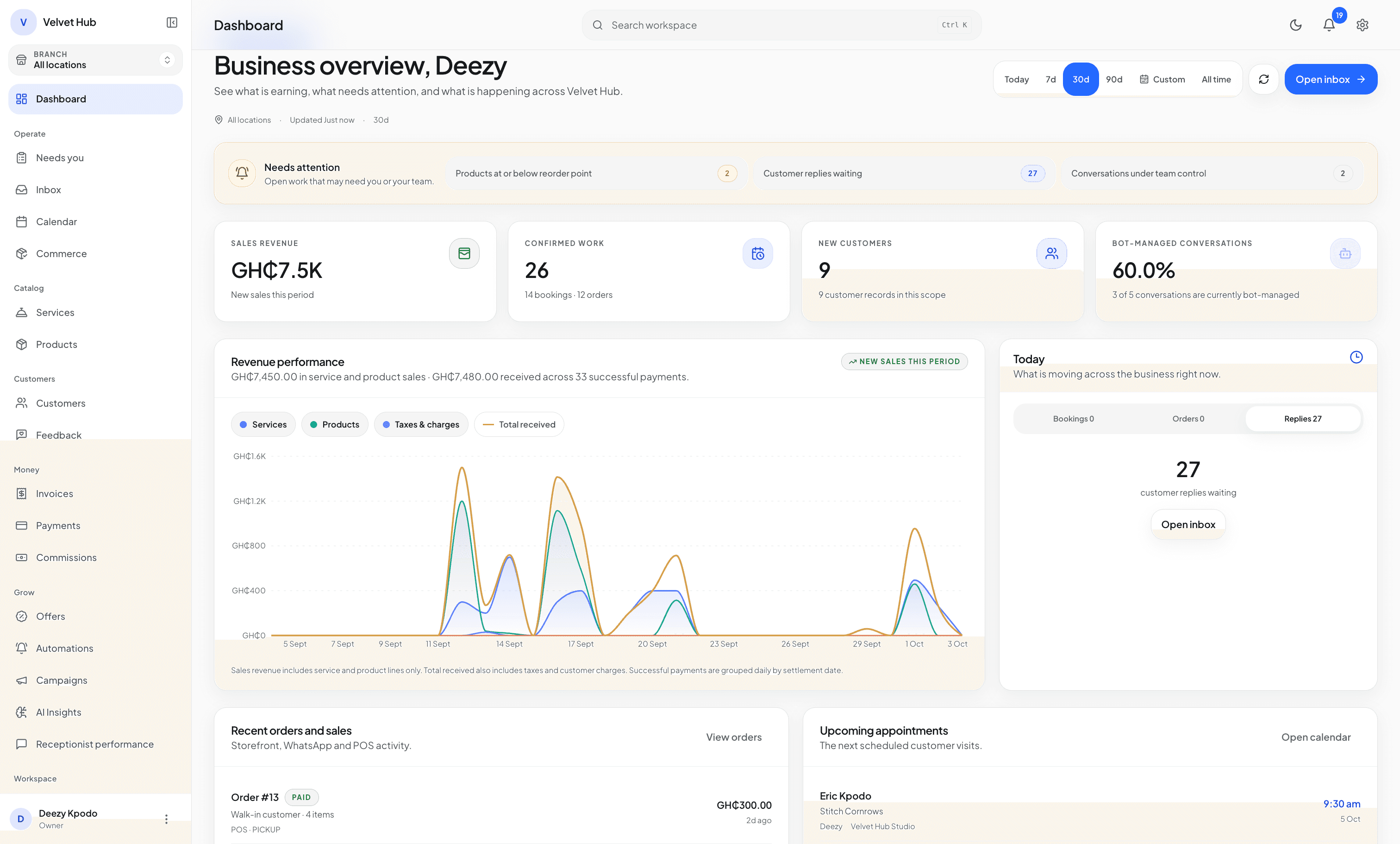
The ChatFlow platform

One operating system between the customer conversation and the completed work.

Connect enquiries, recommendations, bookings, orders, payments, customer context, and team action without asking one tool to pretend it owns every decision.

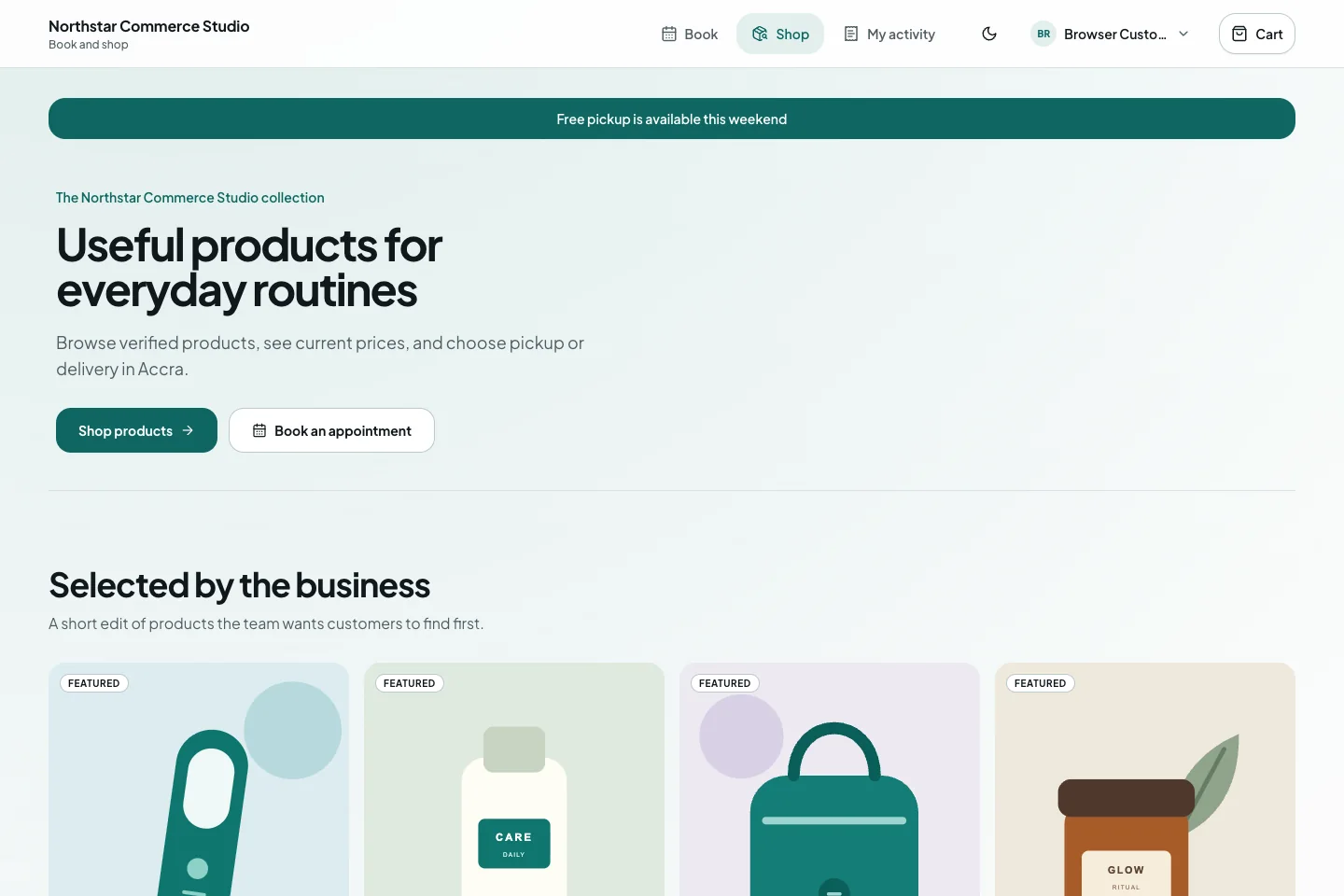
ChatFlow customer order portal showing fictional catalogue products and a structured path from browsing to cart.
Real ChatFlow customer portal UI · Fictional demonstration data
ConversationBooking or orderPayment and team action
Connected workflow

How the five pillars work as one.

Each stage has a clear authority boundary. Conversation helps the customer move forward; deterministic systems decide whether the next operational state is valid.

01

Understand

Identify service need, product intent, timing, budget, and useful customer context.

02

Validate

Check staff, availability, inventory, prices, policies, and required details.

03

Collect

Apply a deposit, full payment, milestone, or approved offline payment option.

04

Confirm

Confirm the booking, order, or combined transaction only after validation.

05

Handoff

Assign service execution, pickup, delivery, fulfilment, or human review.

01

Intelligent Conversations

Helpful recommendations, grounded in the business behind them.

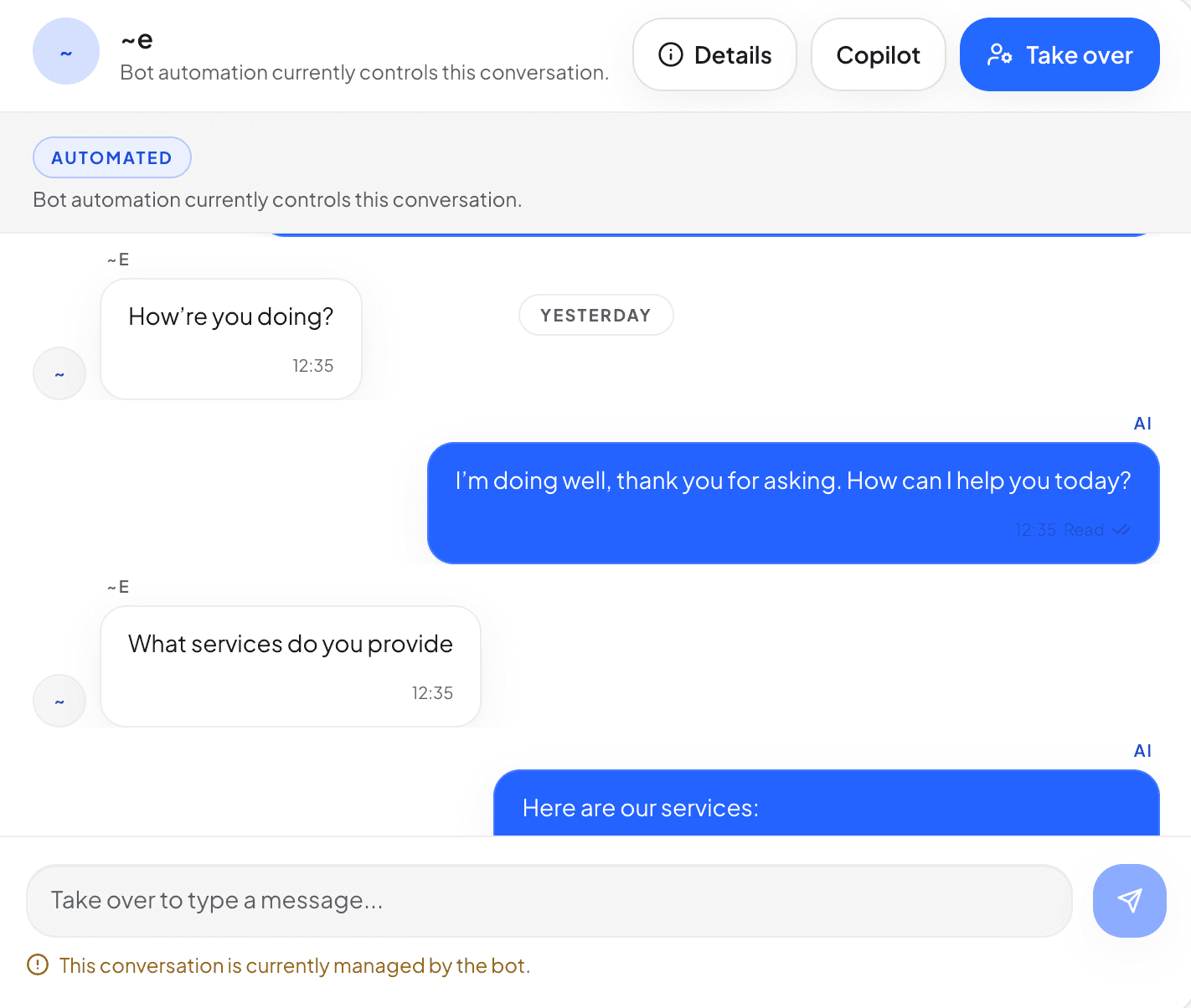
ChatFlow uses services, products, customer context, policies, and conversation state to help with enquiries while deterministic systems keep authority over prices, bookings, orders, and payments.

  • Service- and catalogue-aware WhatsApp replies
  • Customer context and memory
  • Human takeover and controlled autonomy
Do you have the same serum I bought after my last appointment?

I found your previous purchase and the current catalogue option. Would you like to review it with your next booking?

Catalogue and customer context grounded · Human takeover available
Understand service and product intent without turning language generation into operational truth.
02

Bookings and Scheduling

Availability that respects the way your team actually works.

Services, durations, staff, locations, working hours, breaks, time off, conflicts, and deposit rules are checked before a booking is committed.

  • Staff and location availability
  • Multi-service and group booking paths
  • Reschedule, cancellation, and conflict controls
Sat 012:00 PMAkosua · Osu Studio
Staff, duration, location, breaks, and conflict checks passed
Offer valid options and keep the calendar aligned with the conversation.
03

Sales, Payments and Commerce

Sell services and products without losing operational truth.

Catalogue recommendations, checkout, deposit links, invoices, balances, orders, receipts, and fulfilment remain connected to the customer and the underlying booking or sale.

  • Service, product, package, and add-on discovery
  • Deposits, checkout, invoices, balances, and receipts
  • Orders, inventory, fulfilment, and POS on eligible plans
ChatFlow customer cart showing fictional products, fulfilment details, policy checks, and the next checkout action.
Real ChatFlow customer portal UI · Fictional demonstration data
PaymentsDeposit · balance · receipt · refund
CommerceCatalogue · checkout · POS · fulfilment
Know what was recommended, selected, priced, verified, ordered, or ready for fulfilment.
04

Customers and Growth

The next conversation begins with useful context.

Customer records can connect preferences, service and purchase history, active bookings, balances, notes, follow-up, campaigns, and loyalty tools.

  • Shared customer history
  • Preferences and active booking context
  • Campaign, loyalty, discount, and follow-up tools
Customer timeline
14 Jun · Feed-in braids completed
14 Jun · Hydration serum purchased
Today · Booking + product follow-up ready
Make returning interactions more relevant without leaving context on one person’s phone.
05

Operations and Control

Give every role a clear view and a safe next action.

Owners, managers, agents, technicians, finance users, cashiers, and admins work through role-aware surfaces with approvals, audit evidence, notifications, and runtime controls.

  • Shared Inbox and assignment
  • Role- and branch-aware workspaces
  • Notifications, reporting, approvals, and audit evidence
Operational attention
3 conversations need ownership
12 bookings · 4 orders
1 schedule exception · 1 pickup ready
Roles, approvals, audit evidence, and takeover remain available
Keep automation visible, assignable, reviewable, and interruptible.
Control architecture

AI assists. Operational authority stays explicit.

The platform is designed so useful language, summaries, recommendations, and customer context do not quietly become permission to create a booking, mark a payment paid, change inventory, or bypass a team role.

Review security and controls
Conversation layerUnderstands, explains, asks, summarizes, and prepares the next step.
Authority layerValidates tenant, role, entitlement, schedule, policy, payment, and state.
Human layerTakes over, reviews exceptions, approves actions, and owns the relationship.
Try the system in context

Put the complete workflow into your operation.

Create your account, shape the guided setup around your services and products, then activate the trial only when the essentials are ready.

7 days of Growth · 100 AI responses · no card · starts only after setup

Workspace preparedConversation → completed workAuthority clear · Human control ready